
Attachments can easily be added to tasks in the web application by drag & drop.
The following file types are supported:
-
PDF, DOC, DOCX, PNG,J PG, TXT, CSV, TIFF, XLS, XLSX
NOTE: Only PDF attachments can be printed with the main document.
Upload attachments
-
Open a task from the task list.
-
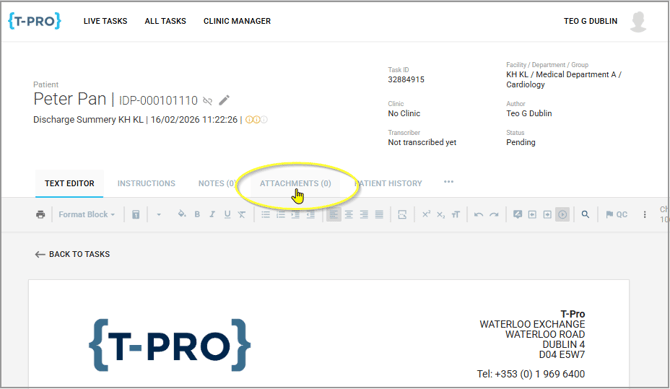
Change to the ATTACHMENTS tab.
- From here you can either
a. Drag and drop one or more files to this page;
b. Click the section to browse your computer for the required file(s).
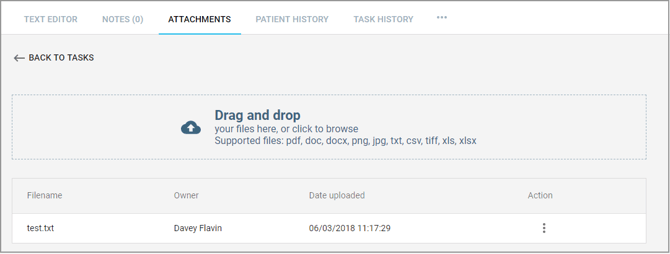

4. Click on SEND to save the attachments to the current task.
=> The number of attachments is displayed on the tab.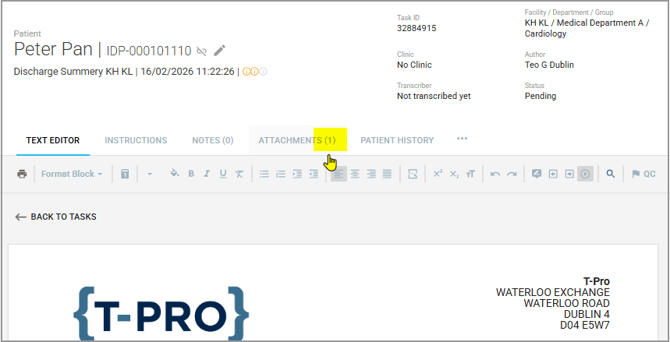
-
At any time you can upload more attachments.
Download attachments
-
On the ATTACHMENTS tab, click on the '3 dots' to the right of the attachment under Action.
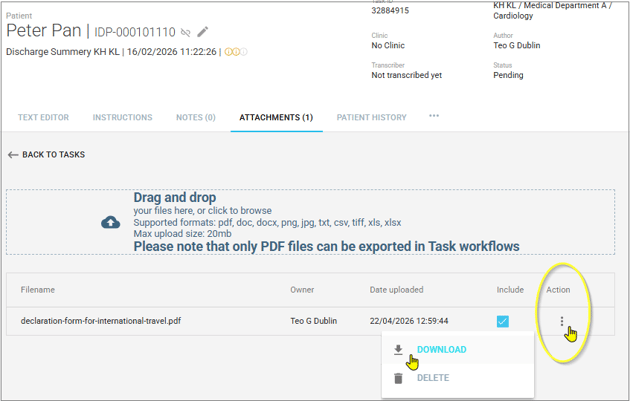
2. Select DOWNLOAD.
-
The other option in this menu is to DELETE the attachment. As soon as you select DELETE the file will be gone.

If you have any more queries, please do not hesitate to contact our Helpdesk or support@tpro.io.
© 2020 - 2026