
Scribe Web Application 2.0.6
Released on July, 20th
This release focuses on enhancing the stability and reliability of the Scribe Web experience, particularly regarding network resilience and document management. It also refines the hardware integration for the T-Pro Device Controller.
- Regenerate all documents - new option to regenerate all documents in one encounter while previously this would have to be done for each document separately
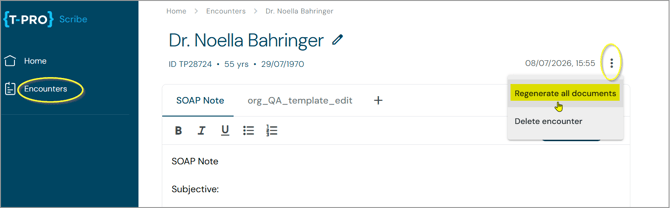
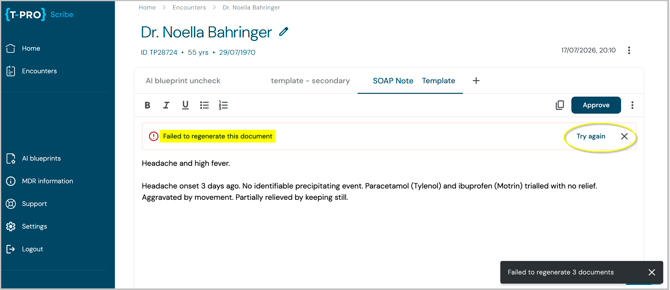
Note that all previous edits made to these documents will be lost as new versions based on that same audio using the same templates will be created. - Document Regeneration Errors - when document regeneration fails in Scribe, users see a clear error message with a "Try again" option to retry immediately, or they can dismiss the error and continue with the previous document version.
- Preselection of the Device Controller only for 1.3.6 and higher - In centrally managed installations, Device Controller preselection now requires version 1.3.6 or higher, preventing selection of older versions that don't support system audio capturing.
- Workflow Sync with T-Pro Dictate - Scribe now dynamically reflects the latest workflow configuration of the Dictate web application each time the user opens a document. Workflows enabled or disabled after a document was created are immediately visible without needing to regenerate the document.
- Error Notifications - Consultation error messages and network-related alerts now use a consistent design. New offline/reconnection banners clearly inform the user if the connection is unstable, when audio is syncing, and when it's safe to resume recording.
- Bug fixes - related to template and approval issues, pausing issue during dictation, and a design flaw regarding the side bar
Scribe Web Application 2.0.5
Released on July, 06th
This release introduces significant enhancements to audio capture capabilities featuring consultation recordings for online calls.
Furthermore has the overall consultation duration been increased to 3.5 hours.
- Audio capturing in online calls using a headset - users in online calls can record their consultations even if they use a headset, earphones, or ear buds. This is possible with the installation of a small piece of software (T-Pro Device Controller version 1.3.6), so the system audio can be captured.
Read how it works here. - Bug fixes - to improve the reliability of audio device reconnection and the audio upload workflow
Scribe Web Application 2.0.4
Released on June, 25th
This release introduces an upload function for external audio files allowing users to generate clinical documentation from pre-recorded sessions. Additionally, the user experience has been refined with an updated recording-state background colour and improved paragraph spacing preservation for integrated workflows.
It delivers AI blueprints management on facility level and enhancements for the document approval process for linked workflows.
-
External audio upload - offers full AI-assisted document generation for external audio files. All audio files captured outside the platform can be uploaded via your PC directly into T-Pro Scribe and converted into structured clinical documentation.
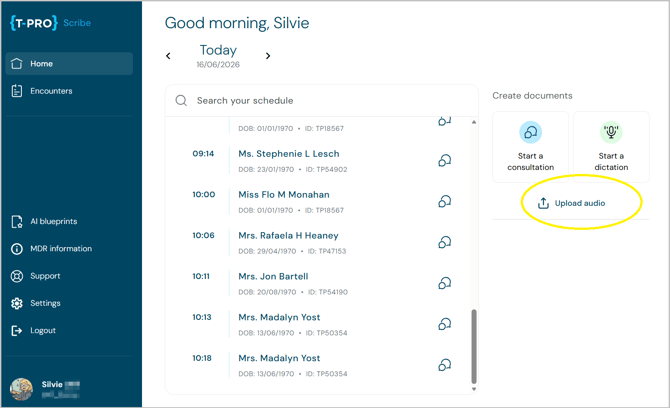
Drag or Drop or click to use the explorer to select the audio file.
See the format and size/length requirements.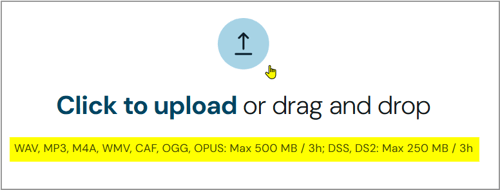
After the upload is completed you get to the familiar patient selection screen.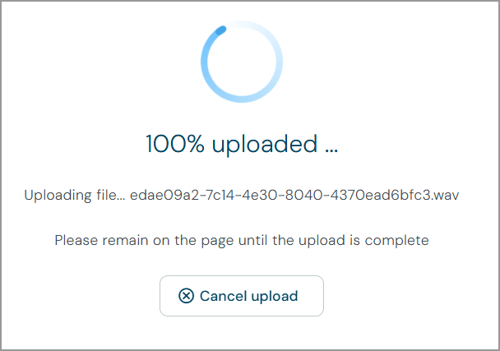
- Continued audio file processing - in case of a connectivity issue the file processing will reliably proceed after the connection to the internet is re-established
- AI blueprint management - the AI blueprint option can be disabled by administrators on facility level to hide the entire feature from the users.
Search for the blueprint setting in Advanced Settings.
Activate the setting with the slider, update, and save all changes.
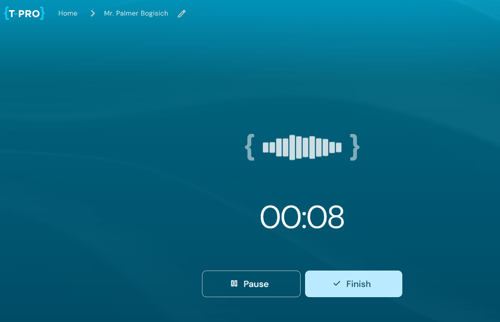
- Active Recording screen colour update - the background colour of the active recording screen has been updated to a blue
- Dynamic Configuration Syncing - Administrator updates from the Dictate web application are automatically applied each time you open or refresh the Scribe app.
Scribe Mobile 1.0.184
Released on June, 24th
This release for the mobile application hardens the recording process as well as the document generating process. Enhanced reliability is provided when connectivity is limited.
Together with improvements to offline finish, the redesigned leave-consultation flow, clearer encounter list status, and stronger sign-in security, the release reduces manual rework and gives clinicians a smoother, more predictable user experience.
Visible user interface changes include:
-
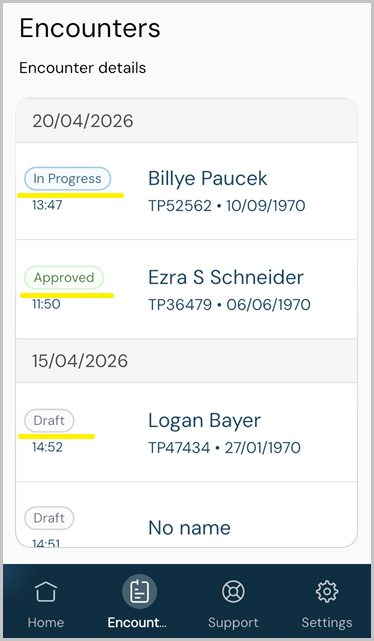
Encounters overview with status information - patients are listed by date and each encounter entry shows status information Draft, In Progress, and Approved.
- Improved date input - when manually adding or editing patient data you can use the calendar function.
Manually typed dates such as 02/04/1998 are standardised, so the month cannot be confused with the day & validated to prevent invalid entries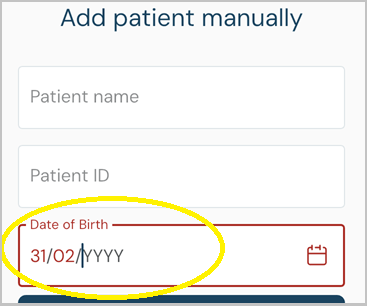
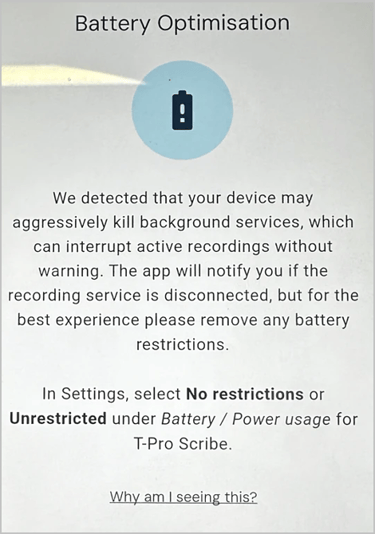
- OEM battery-optimisation - user notification about manufacturer-specific battery restrictions. Users should whitelist the app from battery restrictions to ensure uninterrupted recordings.
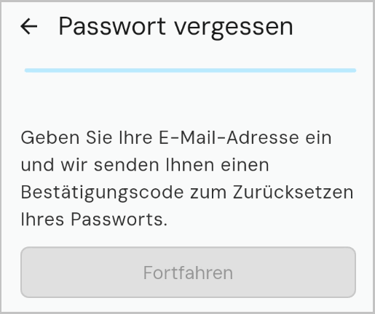
- German language support - Forgot password option process
-
Custom templates - can be used and set as default templates but not created or edited on the mobile app
- Enhanced data stability - when logged in on both mobile and web app simultaneously
Scribe Web Application 2.0
New URL - redirects users from the old copilot.tpro.io to the new scribe.tpro.io to complete the product name change.
Existing data, encounters, templates, and workflows will continue to be available following the update. The overall product experience and day-to-day workflows will remain largely unchanged, ensuring a familiar and seamless transition.
Visible user interface changes include:
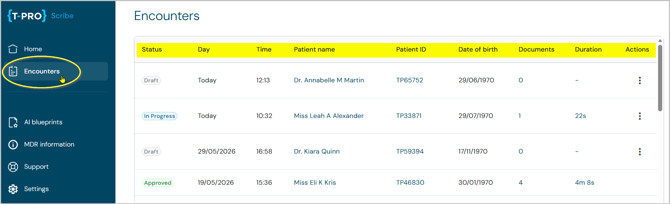
- Improved Encounters list with statuses, contextual information, and the option to delete
- Additional encounter details displayed directly in the list view, including document count, audio duration, and patient date of birth
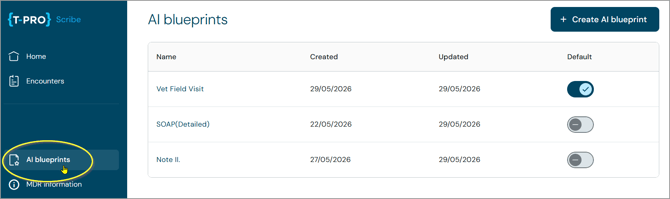
- Improvements to the custom template experience (now called AI blueprints)
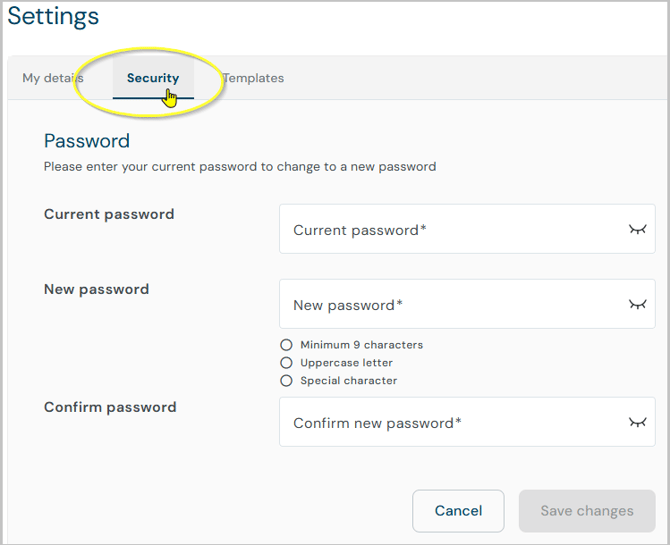
- The ability to change password directly within application for the users signed in with T-Pro email/password credentials
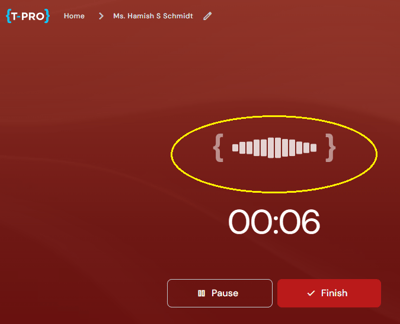
- Quieter speech waveform during recording
Furthermore, infrastructure changes improve maintainability and product quality and offer a more scalable foundation for future development.
Scribe Web Application 1.0.183
Released on April, 30th
This version significantly improves the stability and reliability of the Scribe Web platform:
-
particularly during long-running consultations with multiple pause and resume actions
-
no dictation data is lost during challenging network conditions and connectivity drops
-
eliminates previous timeout issues for complex documents
-
Setting changes for multi-lingual environment
-
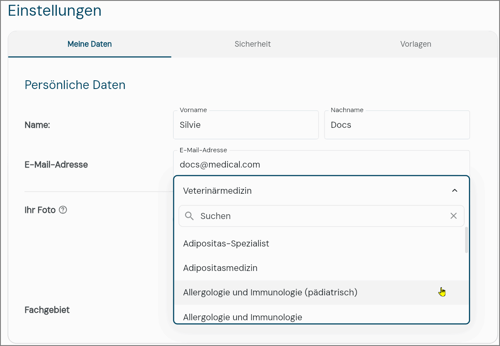
German Speciality selection list implemented
-
Bug fixes and enhanced performance
Scribe Mobile 1.0.182
Released on February, 09th
-
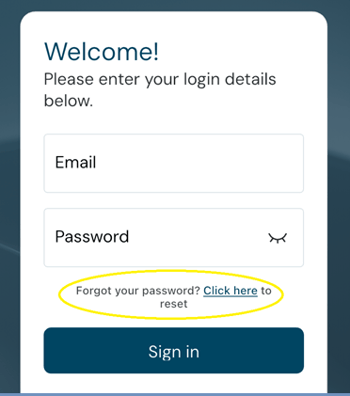
Forgot Password - new workflow added and accessible from the login screen
-
UI/UX improvements - for templates, profile photo uploads, and search.
-
Improved patient management and editing flows.
-
Enhanced error messages and translations, especially for German users.
-
Platform compatibility updates for iOS 26.
-
Security and backend enhancements.
© 2026
First major release, build version: 1.0.179
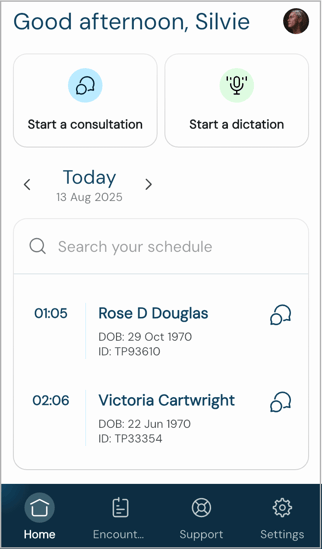
New Features & Enhancements
-
Multi-Language Support - the app is now fully available in German, Portuguese, and English
-
Multi-Factor Authentication (MFA) - the login process offers enhanced security with a complete and robust MFA workflow
Improved User Experience
-
"Empty state" views - helpful statements have been added to empty lists, consultations, encounters, and document generation screens providing clarity about the state of your work
-
Smarter UI - added a "No name" indicator to encounters and improved the layout of the mobile toolbar
Performance & Stability
-
Reduced Battery Usage - optimised rendering, especially on the consultation screen which results in improved battery life for your device
-
Improved App Stability - increased resilience by improved error and network requests handling and critical Android build fixes
-
Enhanced Security Checks - in case of potentially compromised devices
Key Bug Fixes
-
Recorder & Dictation:
-
Resolved recorder button issues during dictation mode, including greyed out icon
-
Corrected layout overflows of the audio waveform on narrow screens
-
-
Login & Authentication:
-
Addressed multiple MFA login bugs, ensuring users are correctly redirected after failed attempts
-
Resolved issues on the sign-in screen
-
-
Patient & Data Management:
-
Fixed issue on patient's details and search results
-
Ensured patient details are saved correctly even if a document isn't immediately generated
-
-
General:
-
Fixed untranslated text in warning dialogs
-
Corrected various UI inconsistencies and visual glitches across the app for a cleaner interface
-
Internal Improvements
-
Massively Increased Test Coverage - to ensure higher quality and reliability with extensive unit and UI tests across the application
-
Streamlined CI/CD Pipeline - for more effective crash reporting, allowing us to identify and fix issues faster
© 2025