
If you have the role of a clerical user, e.g. transcriber, editor, reviewer, processor, you can delete attachments of tasks if they are not needed anymore.
You can access attachments from the Text Editor of a task:

1) In the task editor move to the ATTACHMENTS section.
In the sample below you have three attachments.
2) Click on the three dots to open the Action menu.
3) Select DELETE.
=> The attachment will be deleted. A short confirmation message shows up.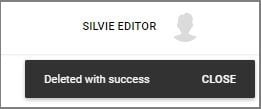
Note, that with your role you cannot delete attachments the author has placed but only attachments of other clerical users.
If you have any more queries, please do not hesitate to contact our Helpdesk or support@tpro.io.
© 2023 - 2026