
1 - Go to the relevant department.
2 - In this example we will add an existing author to an author group.
Note: The process works in the same way for all other user groups (transcribers,
editor, etc.)
3 - Click on the group you want to add one or more users to.
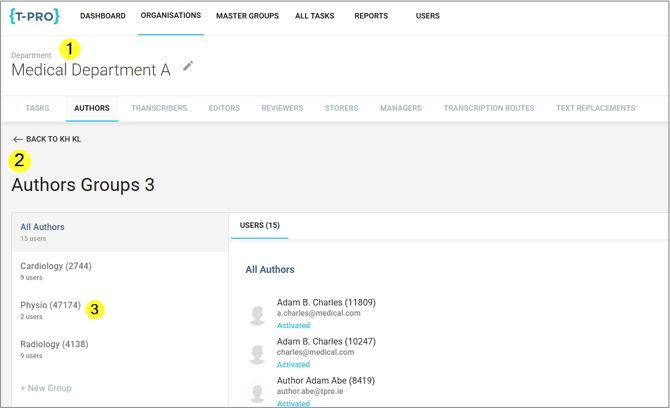
The selected Physio group in the example currently contains 2 users.
4 - Click into the field Add an Existing User.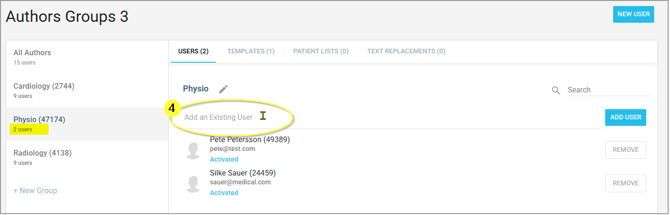
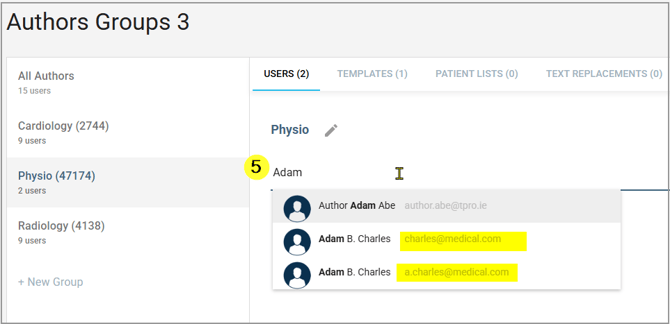
5 - Start typing the name of the user you want to add.
=> A list of existing users will be displayed to you.
Make sure you select the right one in case the name is in the system more than once.
6 - Click on ADD USER
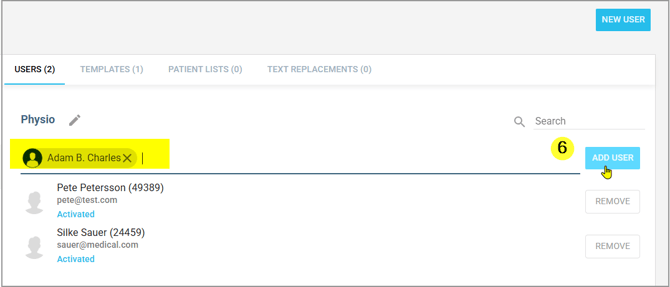
=> The user has been added and saved to the group.
Group templates, patient lists, and text replacements will be available to all users of this group.
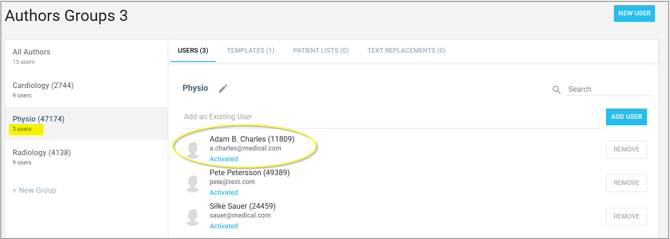
In this screen you can also REMOVE users from the group.
If you have any more queries, please do not hesitate to contact our Helpdesk or support@tpro.io.
© 2026