
Overview
T-Pro offers an option to set up e.g. short contact information on author group level. (a)
This group note information can be used in a template via a template field. (b)
a)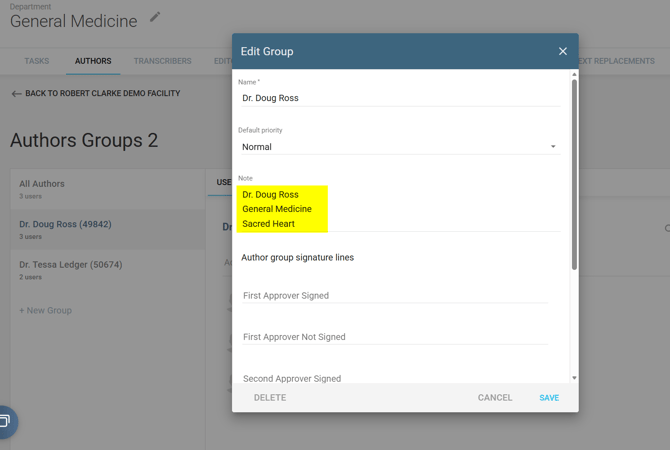
b)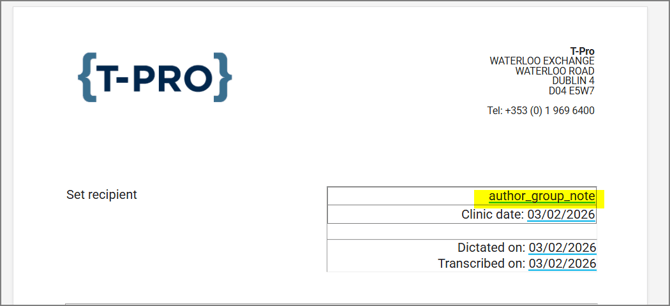
As a result the group note information will appear in each template.
-
use case: junior doctors working under a consultant doctor
-
this reduces the amount of templates required for a site
-
typists don't have to add this information each time
Set up the author group note
To set this up a Master or Manager user needs to select the respective department.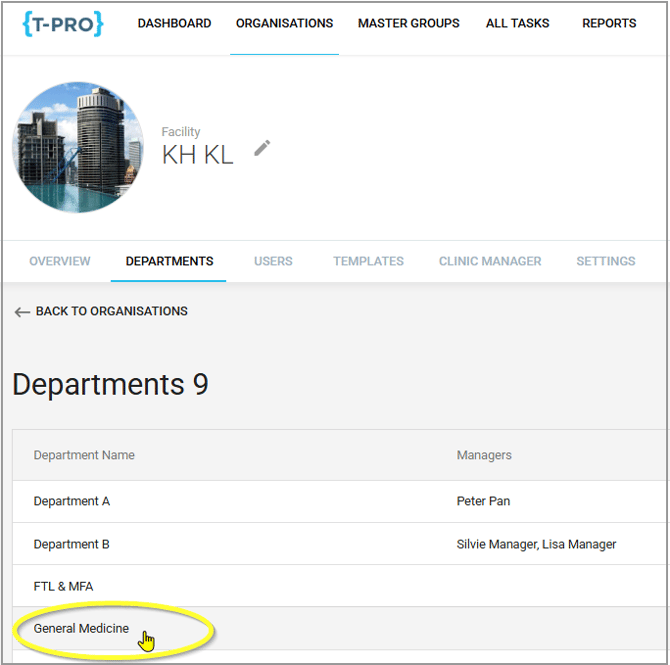
1 - Select an author group
2 - Click on the pencil icon to add / edit the group's properties.
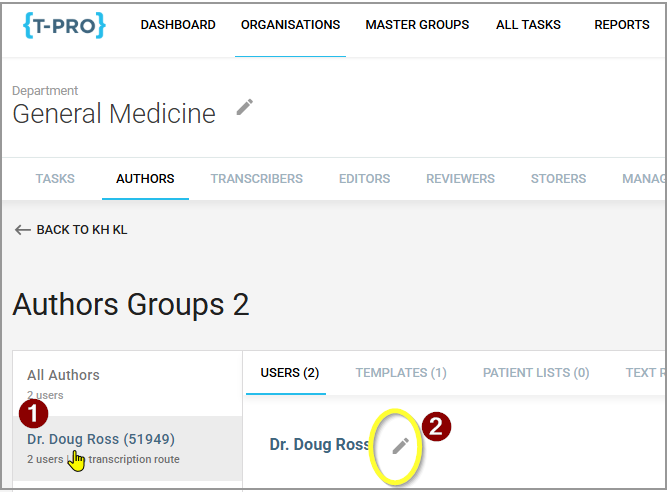
Here, under Notes enter the e.g. contact information as you want it to be displayed in the template.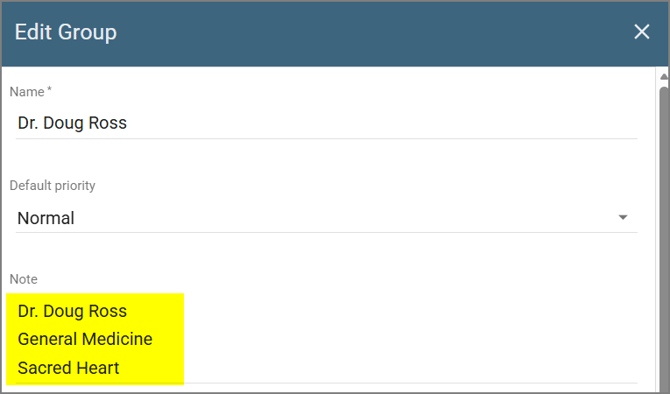
Save your changes.
You are done in this section.
Verify the template
Go to the template section and check if your template contains the field author_group_note.
This field will be populated with the information set up in the Group Note.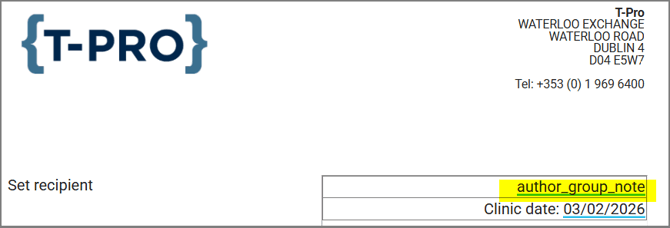
If you have any more queries, please do not hesitate to contact our Helpdesk or support@tpro.io.
© 2026