
User scenario
The manufacturer-specific battery management of certain Android devices could cause the recording service being silently killed, leading recordings to fail.
Solution
A battery optimisation screen has been implemented to be able to adjust the manufacturer-specific battery management. The Dictate Mobile app proactively detects OEM devices and warns the user.
Devices
Xiaomi, Huawei, Samsung, OnePlus, and OPPO collectively account for over 50% of Android devices worldwide.
Any customer using one of these devices is potentially affected.
Example:
The below screen or similar will be displayed to the user after the microphone permission screen.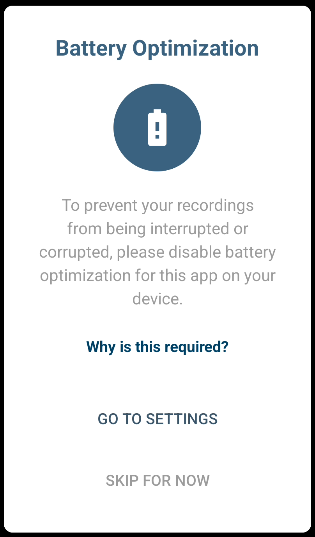
What do I need to do?
Go to your mobile phone's Settings -> Apps -> T-Pro Dictate.
Within this section you should be able to manage the battery usage for the Dictate app.
Select Unrestricted.
Due to the various different menus of Android devices the described steps might differ from your individual phone settings.
If you have any more queries, please do not hesitate to contact our Helpdesk or
support@tpro.io.
© 2026