
Before you start
This critical T-Pro Connect update is needed to continue using your T-Pro Desktop Recorder. Apply it now.
Download TPro-DesktopRecorder.msi.
T-Pro Connect has been updated in response to changes to TLS support in Microsoft Windows.
Open your default Downloads folder. Double-click TPro-DesktopRecorder.msi to start the installation, then follow the default prompts.
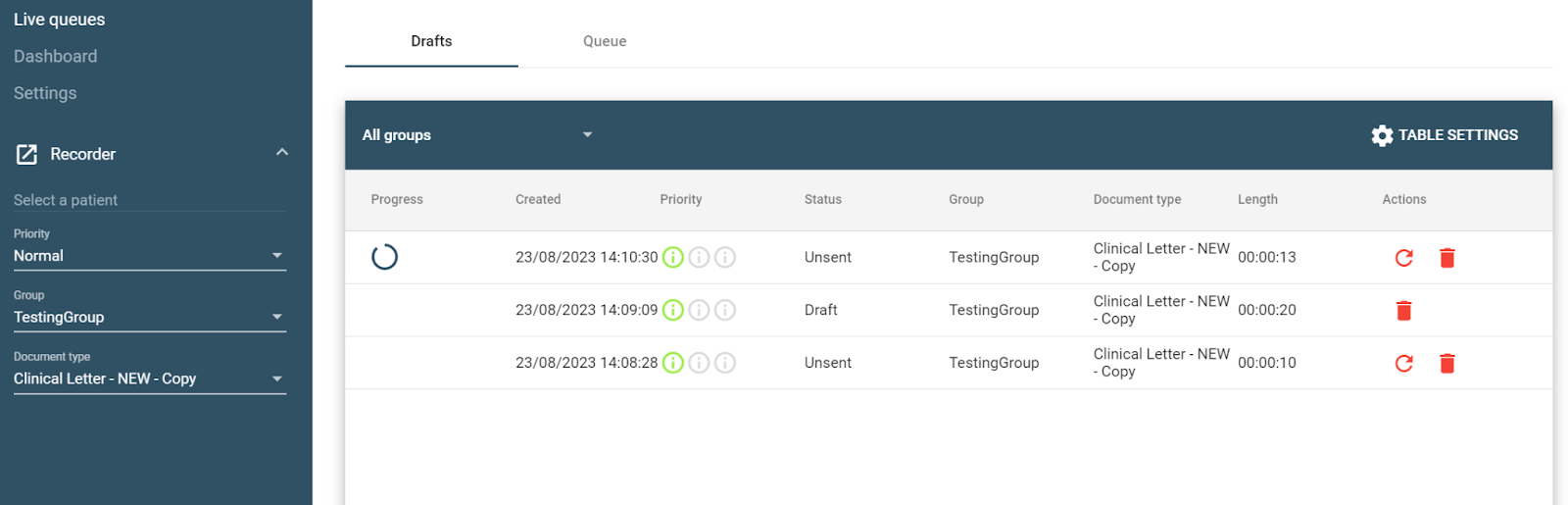
Resubmit recordings with a status of Unsent by clicking the circular arrow beside each recording.
Can't upload after installing Connect?
- Restart your PC, log in to T-Pro Desktop Recorder and repeat step 3 to resubmit the recordings.
If you have any more queries, please do not hesitate to contact our Helpdesk or support@tpro.io.
© 2020 - 2026