
General
T-Pro Scribe is an AI-powered virtual assistant for healthcare practitioners that automates medical note-taking during consultations.
The version 2.0 is an enhanced version which uses a new URL to reflect the product name change to Scribe (previously "Copilot").
If you have worked with the application before you will be automatically redirected to the new URL.
All your previous settings, templates, encounters, integrations, etc. will remain unchanged.
- An improved encounters list with clearer statuses and more contextual information, and the option to delete
- Additional encounter details displayed directly in the list view, including document count, audio duration, and patient date of birth
- Improvements to the custom template experience (now called AI blueprints)
- The ability to change password directly within application for the users signed in with T-Pro email/password credentials
The login screen
Click on the link to open the app in your browser: T-Pro | Scribe
Bookmark the link.
The login screen offers you the following options:
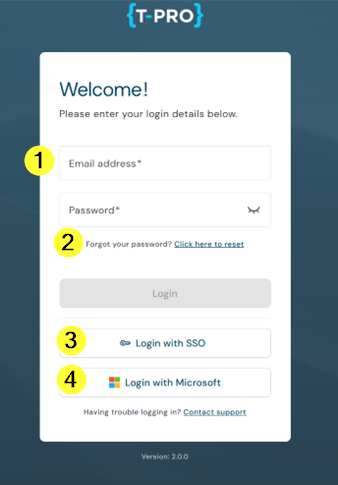
1 - Log in with your T-Pro credentials
2 - Reset your T-Pro password
3 - Use the SSO login
4 - Use the Microsoft login
At the bottom you can contact support and view the current version of the app.
The Home screen
The app opens on the Home screen. This screen offers access to all sections of the application.
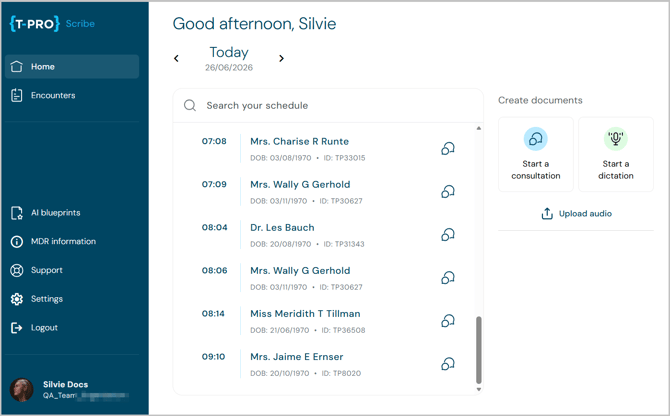
Home screen of the standalone version:
- Consultation and Dictation options with manual patient data entry
- AI blueprints (previously custom templates) accessible via the navigation bar
- MDR information accessible via the navigation bar (EMEA only)
- Audio upload function
Settings
Click on Settings on the navigation bar.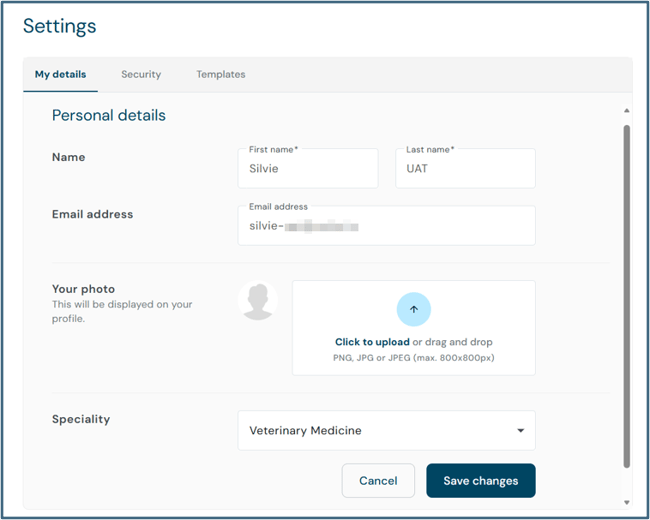
You have three tabs.
Under My details you can view and change your personal data, including a profile picture and your speciality.
Move to Security where you can change your password (for your T-Pro login) at the top.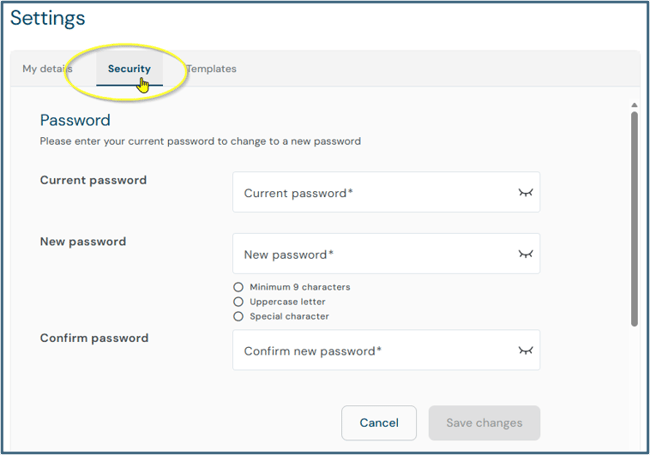
Scroll further down where you have the option to set up an
- individualised patient consent message and
- activate a feedback sound for the recorder.
Move to Templates to view and manage your default document templates.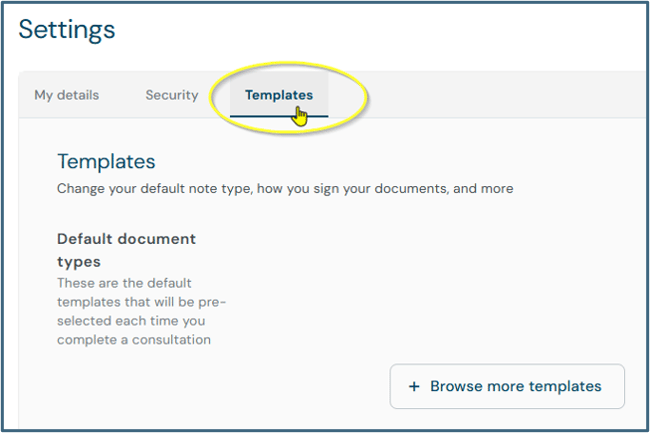
You can add other existing templates to your defaults or select your own AI blueprints.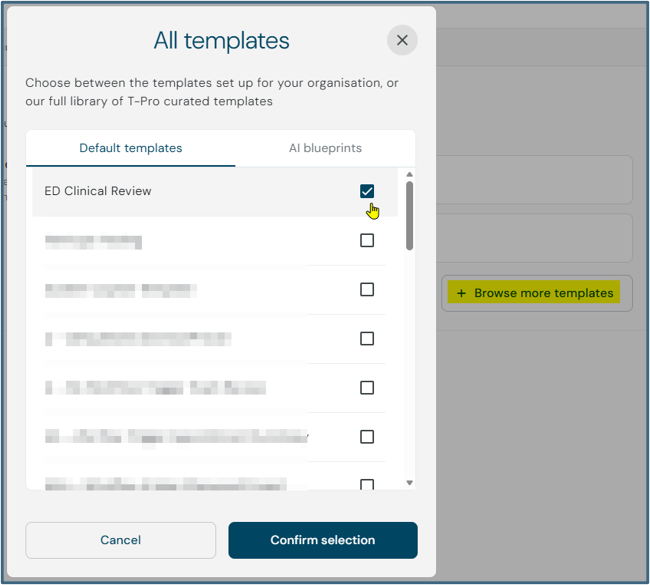
AI blueprints
There is an entire new section on AI blueprints accessible from the navigation bar.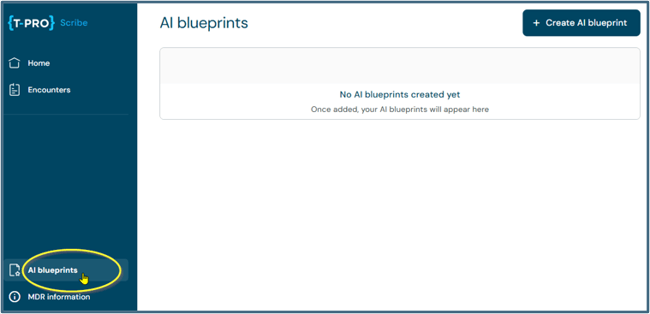
In this section you can create your own prompts to generate documents matching your preferred structure and style. Previously, they were called "Custom templates".
Create documents
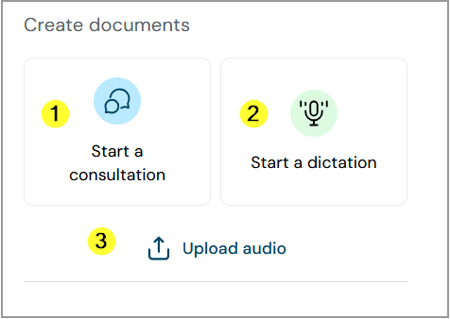
All can be linked to a patient (via schedule search, patient search, or manual entry) or started without patient data.
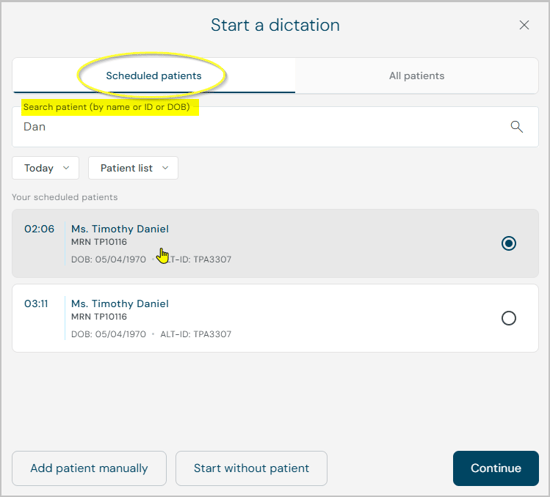
Consultations
A consultation records your entire patient interaction with the option to take notes on the side. At the end of the consultation both, the audio file and your notes, will be processed by AI to generate your documents. The content of the consultation can be applied to various templates. This way different documents can be generated from the same content within some seconds after finishing a consultation.
Generated documents are further editable.
Dictations
Dictations allow healthcare practitioners to actively dictate content directly into predefined templates, e.g. notes or letters.
Generated documents are further editable.
Dictation commands, such as "Start dictation" or "Generate document," enable hands-free interaction with the system.
Audio upload
Offers full AI-assisted document generation for external audio files. All audio files captured outside the platform can be uploaded via your PC directly into T-Pro Scribe and converted into structured clinical documentation.
Encounters
From the Home screen you can also access your Encounters.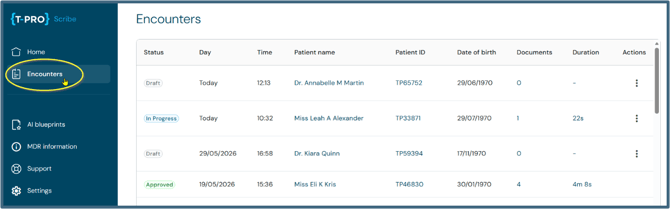
Encounters serve as an archive of all recorded consultations or dictations and related documents. The list provides you a detailed overview, including the status of the encounter.
-
Practitioners can access documents and revisit patient interactions from past sessions.
- It acts as the central hub for managing and reviewing previously created records.
Click on an encounter to access it and view the document(s).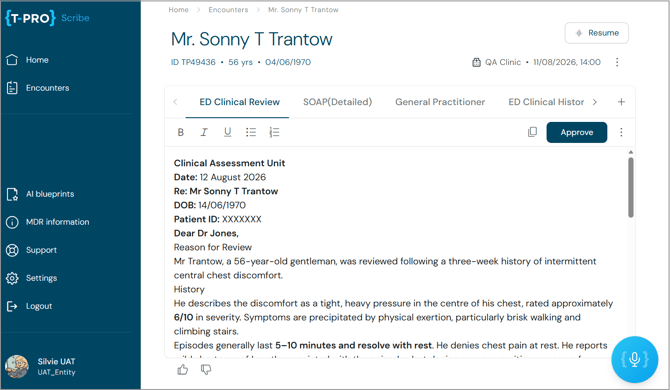
-
Documents within Encounters can be edited
-
Documents can be approved
-
Consultations can be resumed from here
-
Documents can be updated and regenerated
Integration with T-Pro
If you work with an integrated Scribe version you can send all your documents to other T-Pro environments, e.g. to further process them in T-Pro's web platform or the mobile application Dictate.
If you have any more queries, please do not hesitate to contact our Helpdesk or
support@tpro.io.
© 2026