
How do I get Scribe Mobile?
Download the Scribe mobile app from the App store (iOS) or Playstore (Android) and install it on your mobile device.
Search for T-Pro Scribe and download the app.
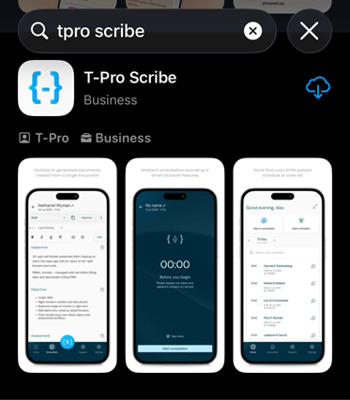
The app opens on the Welcome screen.
You can also tap on the icon to access the app.
What are the main features of Scribe?
- Transcribing and processing Consultations
- Allowing encounter Dictations
- Offering integration with EHR systems and with T-Pro Dictate
- Providing a fully automated clinical documentation process
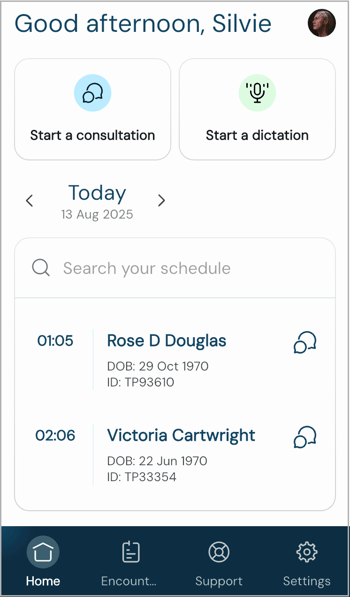
Home screen with the patient schedule and the options to
- Start a consultation or
- Start a dictation
Before you start the recording:
Make sure you have the consent to record from everyone present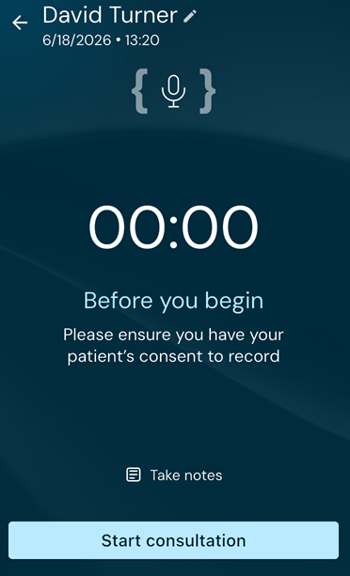
Recording screen during a consultation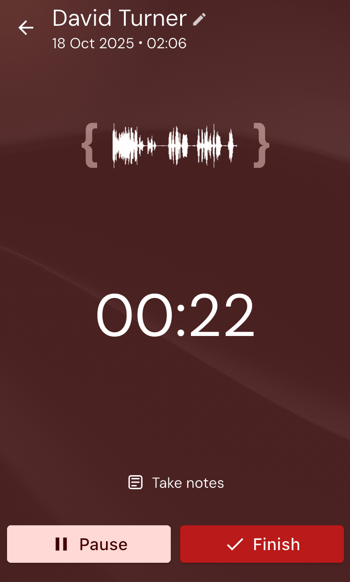
Generate documents using default or individualised templates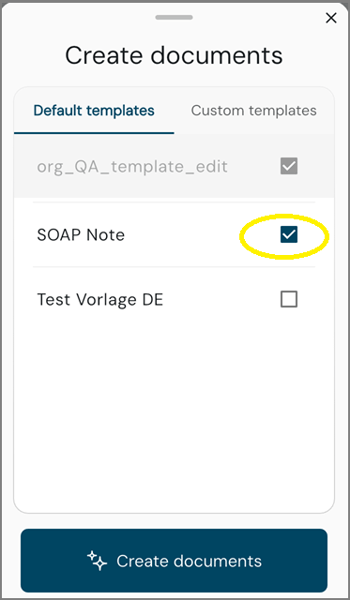
Settings screen with user details, security measures, and template selection options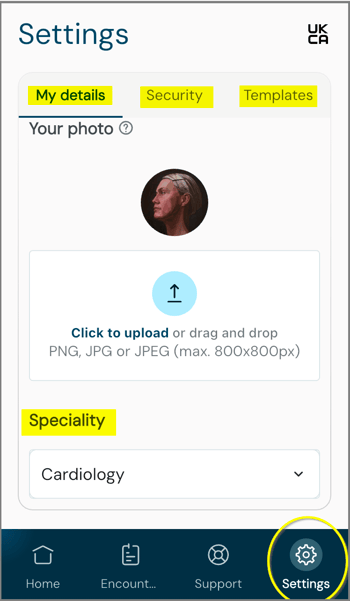
- Set your speciality to have the AI focus on information relevant for this area
- Tap onto the UKCA letters in the right corner to view more details about Scribe's UK Conformity Assessed usage
Encounters serve as an archive of all recorded consultations and related documents.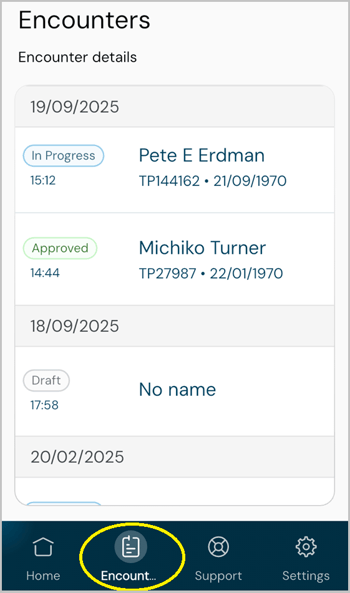
- Encounters can have three different statuses
- Practitioners can access completed documents and revisit patient interactions from past sessions.
- It acts as the central hub for managing and reviewing previously created records.
- Documents within Encounters can only be edited if they have not yet been approved.
- Documents can get approved when completed.
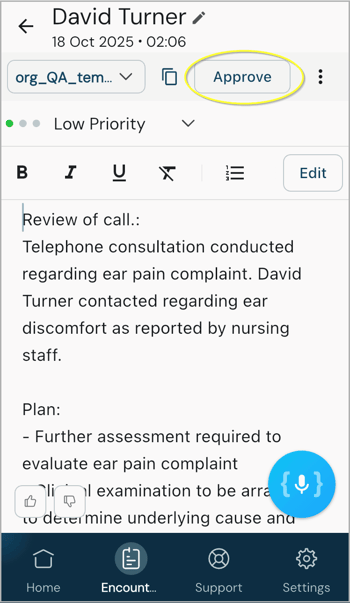
If you work with the integrated version the approval process triggers subsequent document processing workflows.
For instance your documents can be moved to other T-Pro environments such as
to the web platform Dictate or the mobile application Dictate for further processing.
‼️View the complete user guide for ➡️ Scribe Mobile here.
If you have any more queries, please do not hesitate to contact our Helpdesk or
support@tpro.io.
© 2025 - 2026