
Before you start
You can contact support with any T-Pro account. Log in to use the account menu, or email us without logging in.
Log in to T-Pro with your transcriber credentials.
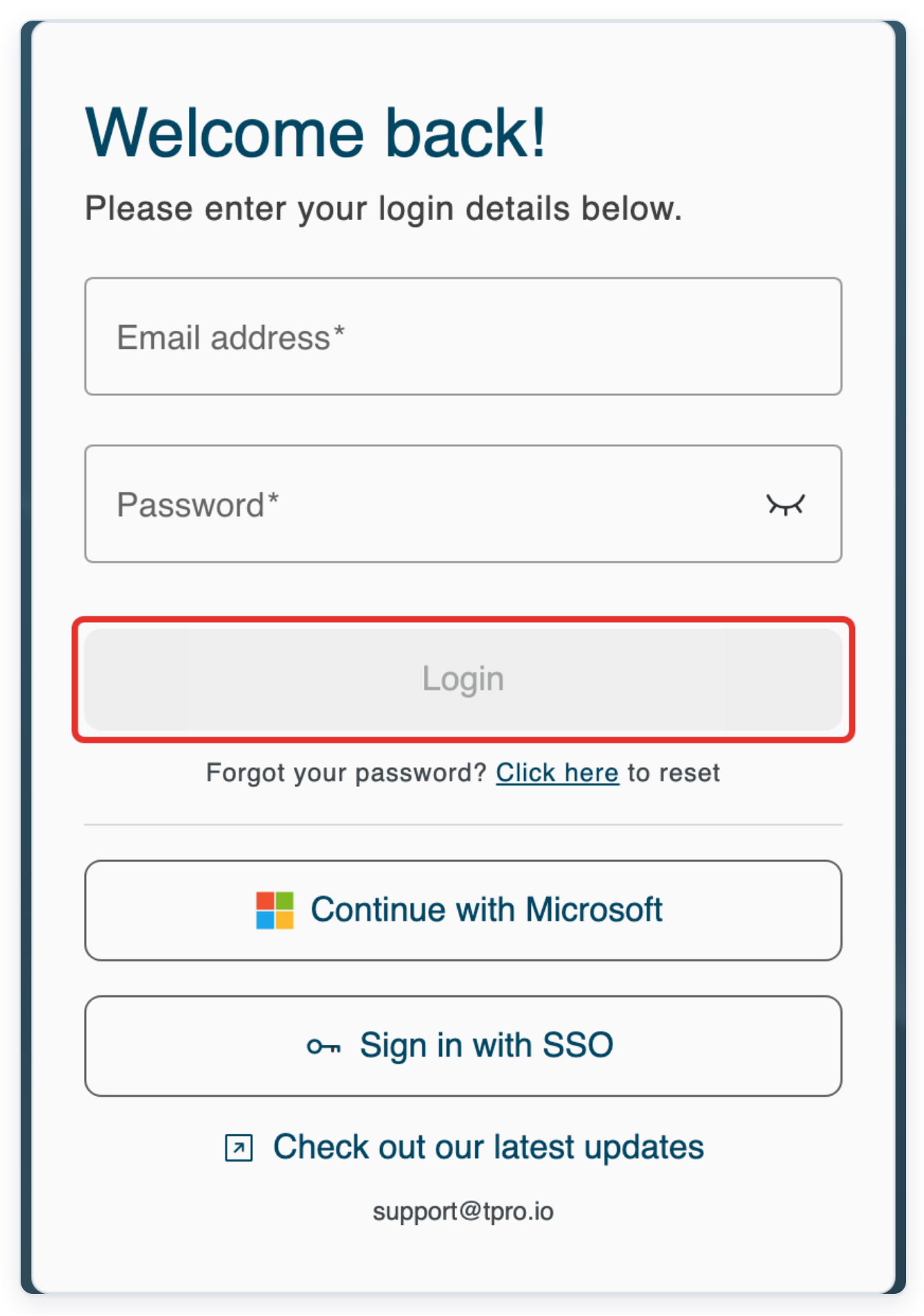
Enter your Email address and Password, then click Login. If you're not a transcriber, use your usual T-Pro account.
Click the three dots beside your account name at the top right to open the account menu.
Your name and organisation appear together at the top of the page. Look for the three-dot button beside them.

=> Help Center appears below System in the account menu. It also appears below Patient lookup if that option is available.
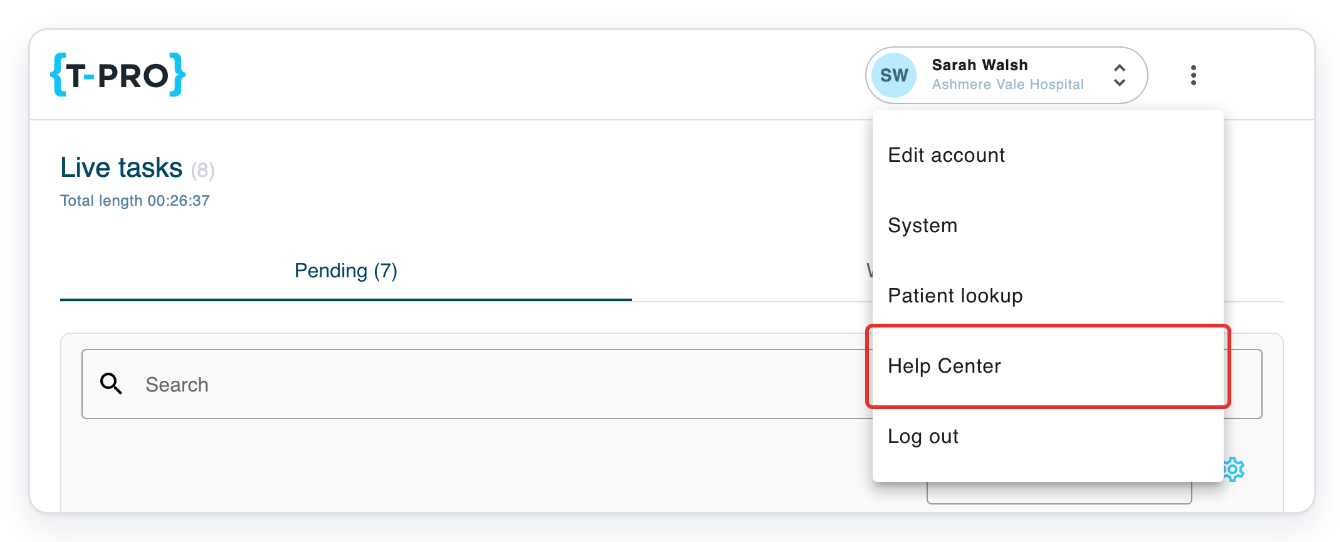
Click Help Center to open the help centre in a new browser tab. Your T-Pro page stays open in its original tab. Switch back to that tab to return to your work.
NOTE:
- Your organisation's settings control whether support chat is available. You can also contact us by email.
- In chat or email, tell us what you were doing, what went wrong and what you expected to happen. Include the exact wording of any error message and any relevant hardware or software versions. For a recording problem, tell us which microphone you used and its model, if you know it. For a problem in your browser, include the name and version of the browser you were using. Give us your account email and organisation so we can find the account you need help with. If you need help with a particular task, include its Task ID. You can find this number in the task list or in the task itself. Describe the actions that led up to the problem, in the order you took them. Tell us when it happened, with the date and approximate time if you can. Say whether it happens every time or only sometimes. If several tasks are affected, mention whether they have the same problem. If you've already tried something to fix the problem, tell us what you tried and what happened.
Other ways to contact support
- When support chat is available, click the chat button to open the chat window. Type your question, then send it. Use the details in the note above to explain the problem. Tell us where you were working in T-Pro when it happened.
- Email support@tpro.io. You can email us whether you're logged in or need help accessing your account. There's also a support@tpro.io link at the bottom of the sign-in form. Click it to start an email in your usual email application. Describe the problem, then send your message.
Can't contact support?
- If you cannot see a chat button, email support@tpro.io instead. Explain which part of T-Pro you need help with. Include the details in the note above so we have the information we need in one message.
- If you cannot log in, click support@tpro.io at the bottom of the sign-in form. In your email, give us the account email address you were trying to use. Describe what happens when you try to sign in and include any message you see.
- T-Pro may show “No more methods to verify your account, please contact support.” Click the contact support link within that message. This opens the support website. Tell the team that you cannot complete account verification. Include the message you saw when asking for help.
Related articles
If you have any more queries, please do not hesitate to contact our Helpdesk or support@tpro.io.
© 2020 - 2026