
Introduction
T-Pro Scribe enables clinicians to record consultations using the mobile application even when the internet connection - whether via mobile data or Wi-Fi - is limited, unstable, or unavailable.
Consultations can be started in offline mode or continued on in case the internet connection drops during a recording.
Recordings are stored securely on the device while offline, ensuring that no data is lost, and are automatically uploaded once an internet connection becomes available again.
Frequently asked questions around this feature can be looked up here.
No network or unstable network
When you are logged in to Scribe but moving into an area with no network or intermittent network coverage you will see a banner at the top of your device (1).
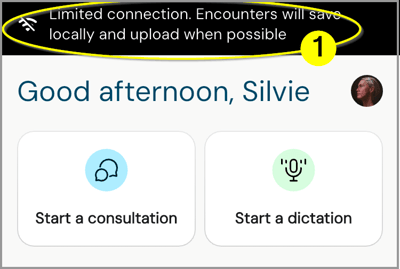
This is an information banner, you are still able to use the app for consultations.
NOTE: Dictations require a stable internet connection; currently it is not possible to dictate offline.
Your schedule
Your schedule displays an additional offline message (2):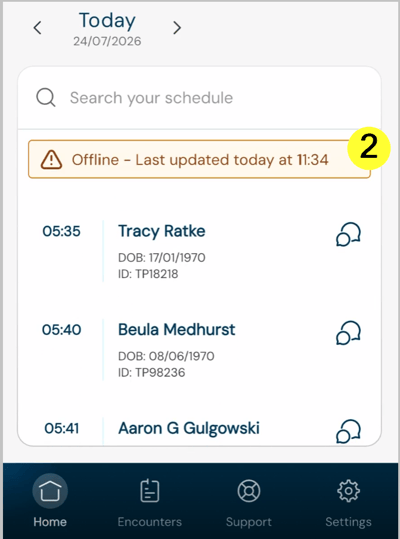
This message informs you about the time your schedule has last been updated.
- The schedule normally receives updated information on a regular basis (approx. every 10 minutes) to keep your appointments up to date.
- The schedule information is locally stored
- If schedule information is not available on the device, it will not be shown.
Offline consultation
You can still start a consultation with the patient data displayed in your schedule.
Just tap on an entry.
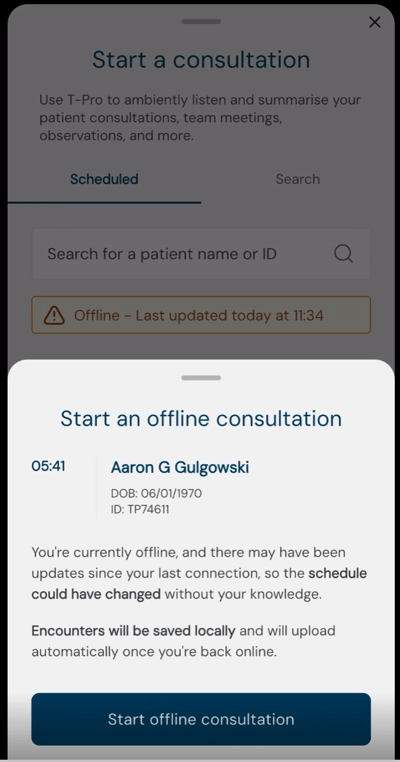
Then, tap on Start offline consultation and continue as normal.
Other options
You can also search the patient schedule for today, yesterday, and tomorrow.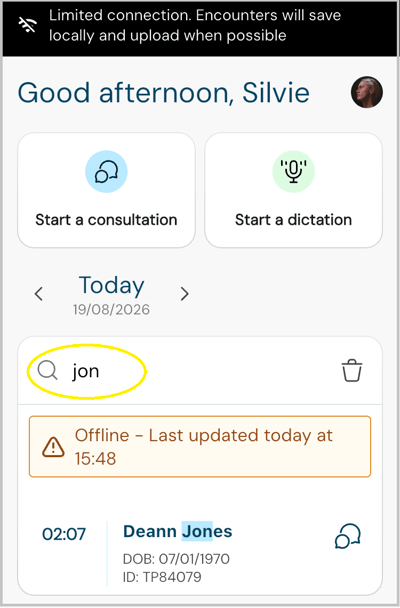
You can begin a consultation via the button at the top.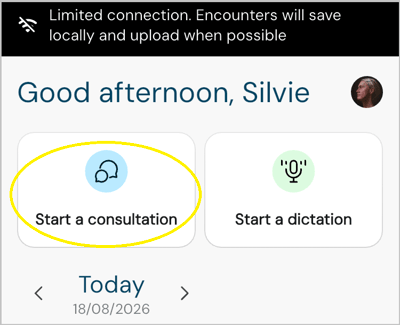
Additionally to the search option for your schedule you can: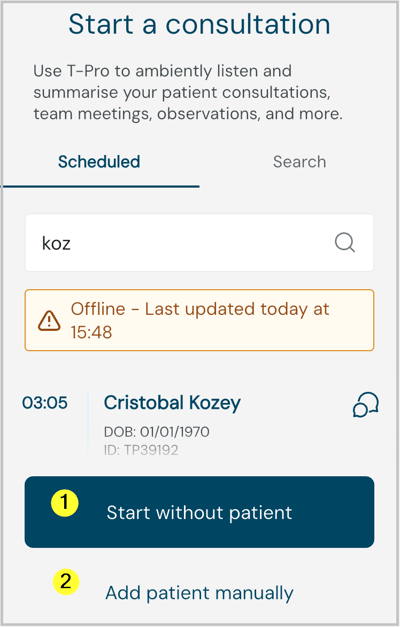
-
Start without a patient, or
-
Add a patient manually
NOTE: The Search tab to the right, where you normally can access your full patient list won't work as this requires an internet connection to your clinic system.
In all screens you will continue to see the Offline banner while there is no network, or the network is unstable.
Remember the overall maximal length for consultations is 3.5 hours.
Here during an active recording: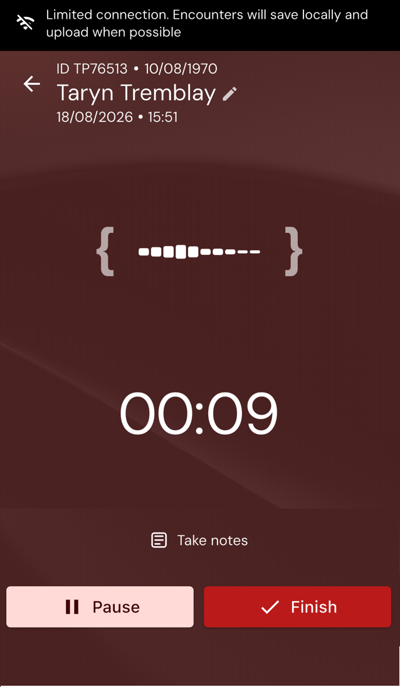
Unstable network during a consultation
If you lose the connection during an active recording, the information banner pops up but you can keep continuing the consultation as normal.
T-Pro retains the part of the consultation that still needs to be uploaded.
When you are connected again and return to the app, the remaining data can upload and the encounter continues through normal processing.
Document creation
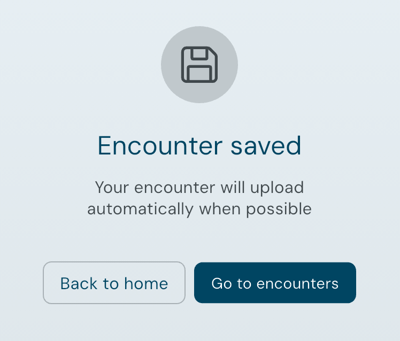
The template selection screen comes up as normal during offline mode when you finish a consultation.
Select the required document templates and tap on Create documents.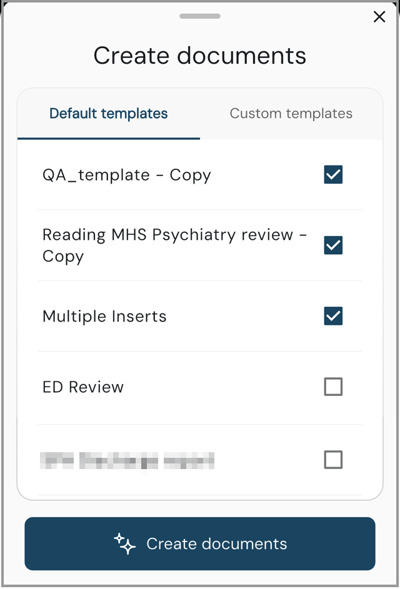
-
The selected documents will be generated after the encounter has uploaded and T-Pro is able to process it online.
-
You do not need to stay on this screen or wait for your internet connection to return before seeing your next patient.
Encounters
Move to Encounters to view any consultations that are still stored locally on your device. 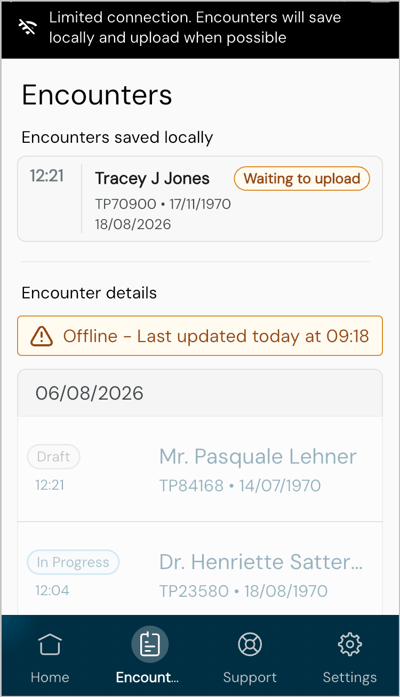
-
Encounters stored prior to the internet interruption are listed but greyed out and cannot be opened.
-
Encounters created in offline mode, during the internet interruption, are listed at the top marked Waiting to upload.
Other statuses can be Uploading during the upload process, or
Processing when the upload has completed and T-Pro is preparing the encounter and its documents. - There is no limit to how many encounters you can create offline — you are only limited by the available storage space on your device.
NOTE: As long as encounters are not fully uploaded they will not be available on another device.
Continue a consultation
In case you have left a consultation without finishing it, it will be listed under Encounters displaying the Continue button.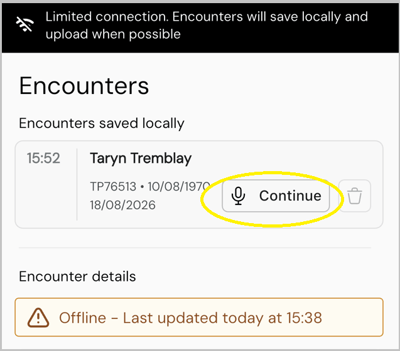
-
Tap on the encounter to continue the consultation at any stage
- Unfinished encounters stay locally saved and at the top of the list when you are online again - they won't be available on a different device until they are finished, have the required templates selected, and are uploaded
- While offline, encounters cannot be deleted
Connectivity is back
When the internet connection is re-established, locally saved encounters will begin uploading. You can see their progress in the Encounters section.
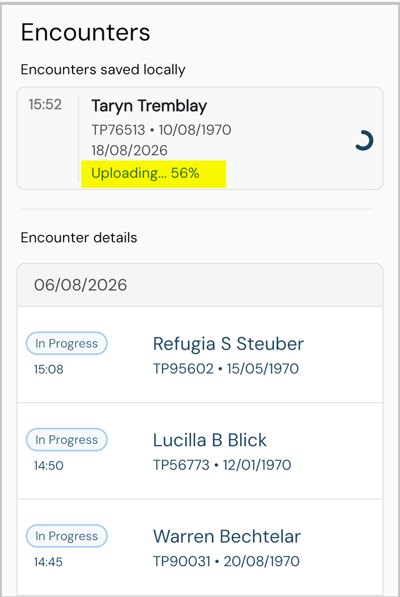
- Locally saved encounter is in the process of uploading
- If you recorded several consultations offline, they may upload one after another
- Once the encounter is uploaded, the locally stored version will be deleted automatically from your mobile device
- The encounter becomes available on other devices and can follow the T-Pro workflow
- Older encounters can be opened again
If you have any more queries, please do not hesitate to contact our Helpdesk or
support@tpro.io.
© 2026